Figures
Every figure on this site is drawn by a Python module from facts extracted from the code, so it is rebuilt,
not redrawn, when the code changes. CI runs hardfoc-docs figures --check and fails when a
committed figure no longer matches the code. Each figure below lists the files it is drawn from.
Where hf-core sits
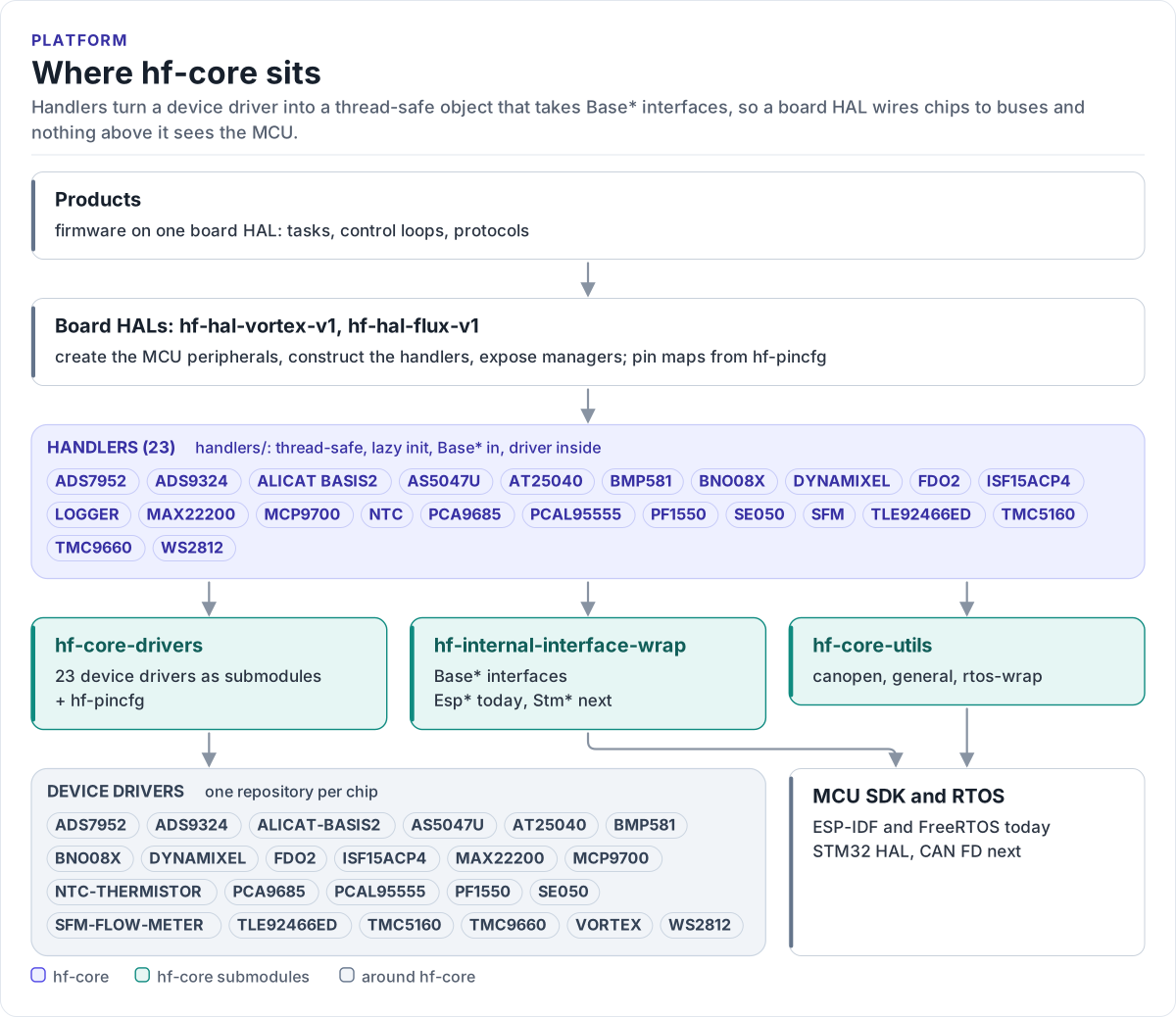
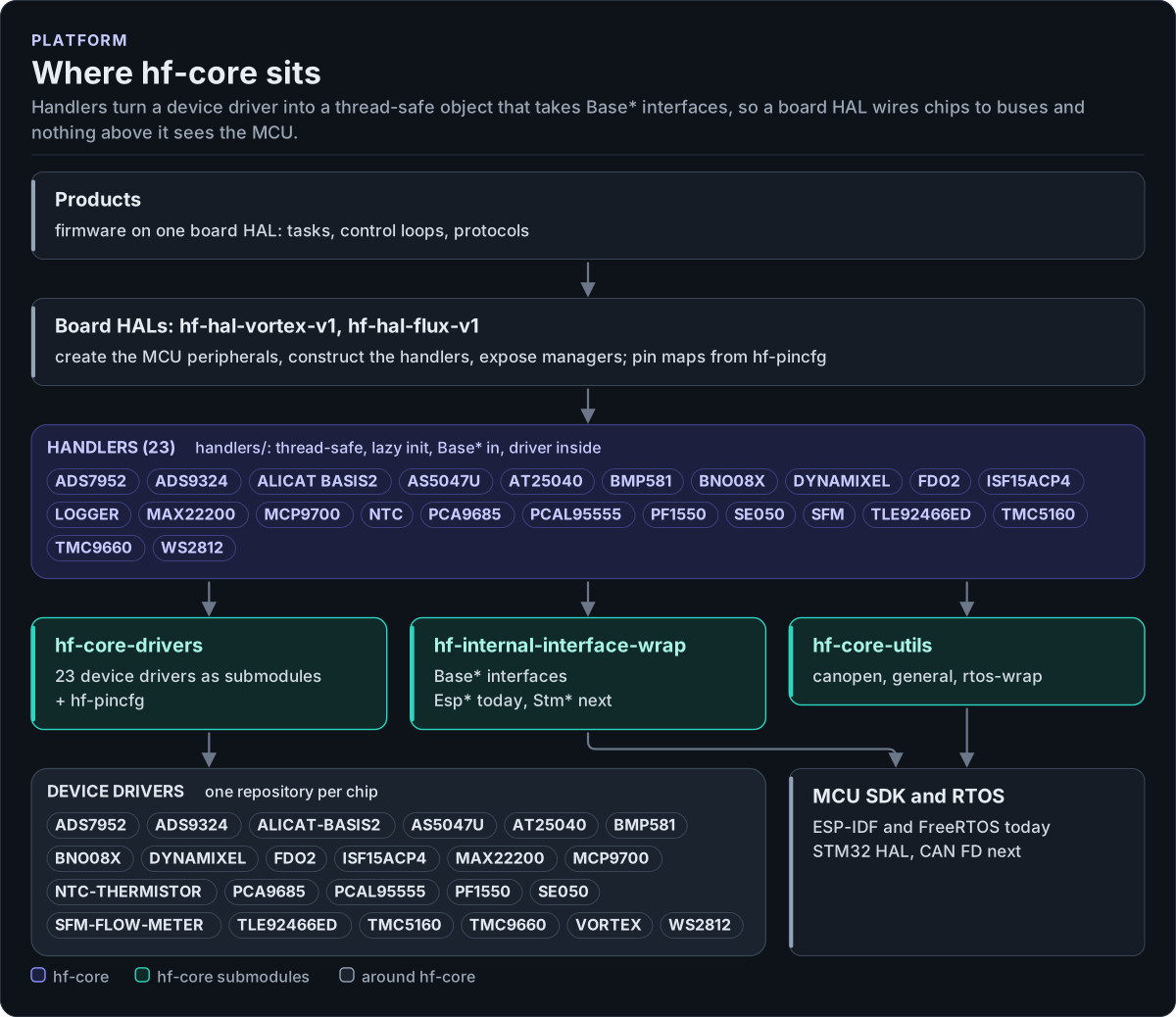
Figure description and sources
From the bottom up. Each device driver is its own repository and talks to its chip through a small CRTP interface; hf-core-drivers collects them as submodules, together with hf-internal-interface-wrap (the Base* interfaces and their ESP32 and STM32 implementations) and hf-pincfg. hf-core-utils collects the RTOS wrapper, the general utilities and the CANopen helpers. hf-core's handlers sit on top of those three: each one wraps one driver behind a thread-safe API that takes Base* interfaces. A board HAL creates the MCU peripherals, constructs the handlers it needs and exposes managers; a product is firmware on one board HAL. The driver list is read from cmake/hf_core_build_settings.cmake and the handler list from handlers/.
Drawn from: cmake/hf_core_build_settings.cmake driver and utility paths; handlers/ handler folders; figure module docs/diagrams/figures/platform-layers.py.
Figure module: docs/diagrams/figures/platform-layers.py
Drawn from:
driver and utility pathsincmake/hf_core_build_settings.cmakehandler foldersinhandlers/