Skip to content

Figures

Every figure on this site is drawn by a Python module from facts extracted from the code, so it is rebuilt, not redrawn, when the code changes. CI runs hardfoc-docs figures --check and fails when a committed figure no longer matches the code. Each figure below lists the files it is drawn from.

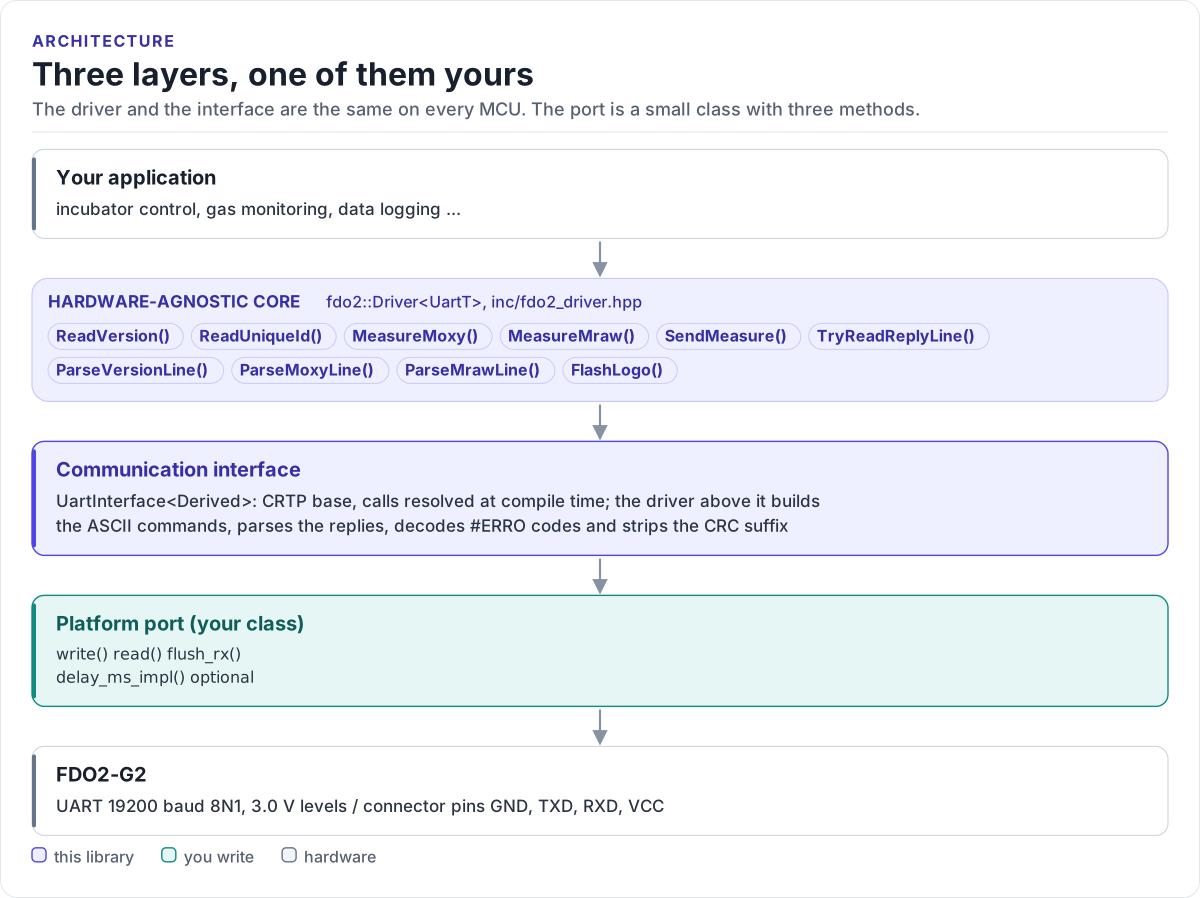
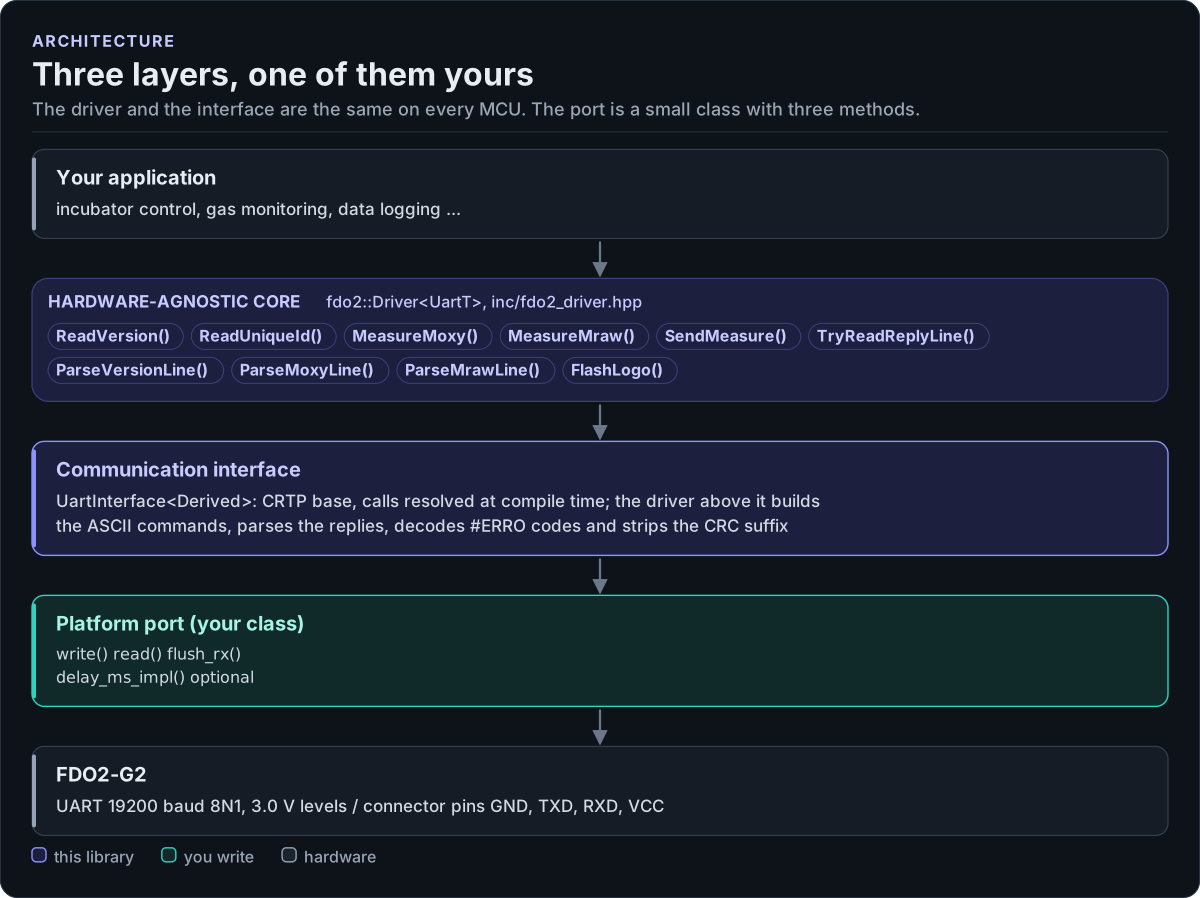
Three layers, one of them yours

Layer diagram: the application calls the hardware-agnostic FDO2 driver, which uses the CRTP UART interface, which calls the platform port you write, which drives the UART lines of the PyroScience FDO2-G2 oxygen sensor.Layer diagram: the application calls the hardware-agnostic FDO2 driver, which uses the CRTP UART interface, which calls the platform port you write, which drives the UART lines of the PyroScience FDO2-G2 oxygen sensor.
Three layers, one of them yours
Figure description and sources

From top to bottom. Your application talks to one fdo2::Driver object, whose public calls (listed from inc/fdo2_driver.hpp) send the FDO2-G2's ASCII commands and decode the replies into readings in hPa, degrees Celsius, mbar and %RH. The communication interface (UartInterface in inc/fdo2_uart_interface.hpp) is a CRTP base that forwards bytes to your class. The platform port is the only code you write: a class that writes a command, returns one reply line and flushes the receive buffer. Below it is the sensor.

Drawn from: inc/fdo2_driver.hpp Driver public calls; inc/fdo2_uart_interface.hpp UartInterface; figure module docs/diagrams/figures/driver-layers.py.

Figure module: docs/diagrams/figures/driver-layers.py

Drawn from: