Skip to content

Figures

Every figure on this site is drawn by a Python module from facts extracted from the code, so it is rebuilt, not redrawn, when the code changes. CI runs hardfoc-docs figures --check and fails when a committed figure no longer matches the code. Each figure below lists the files it is drawn from.

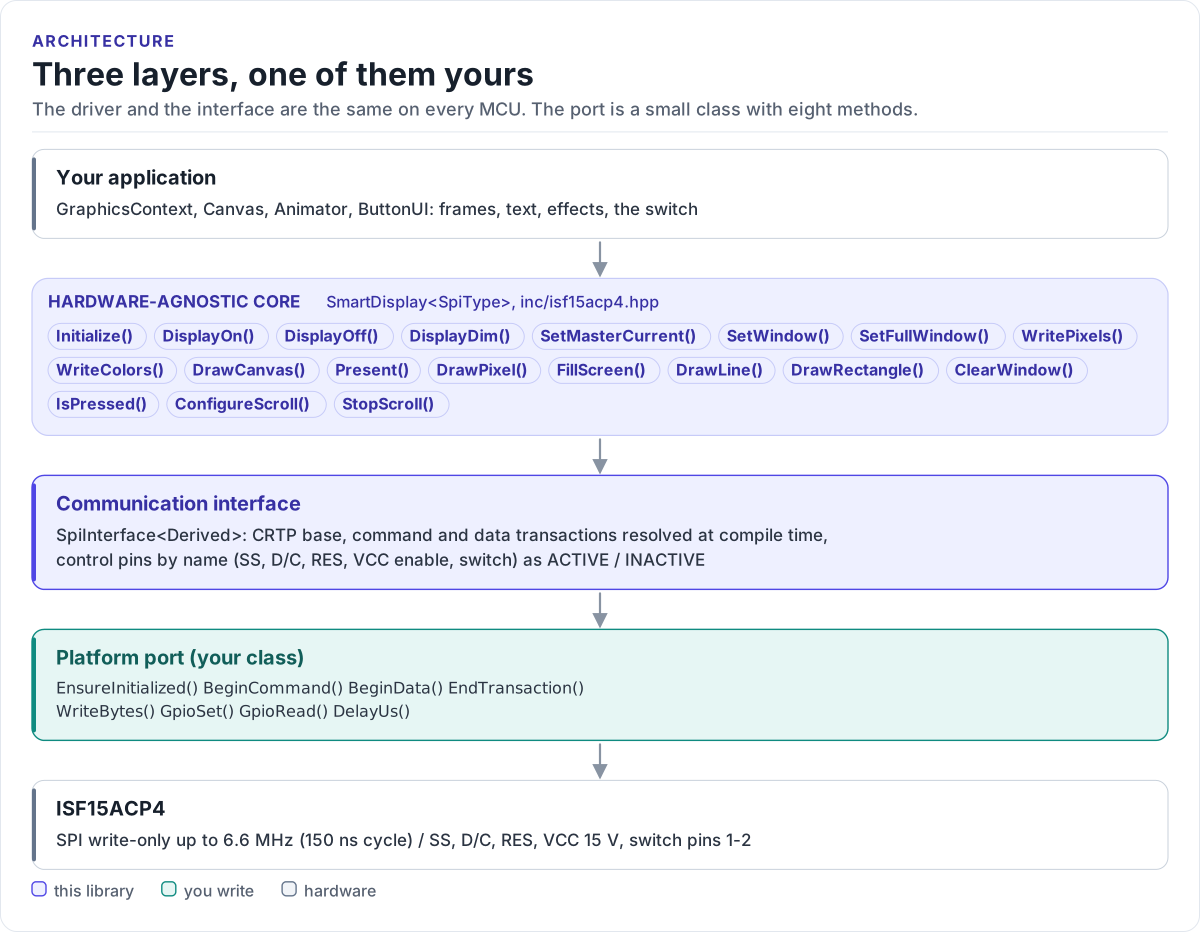
Three layers, one of them yours

Layer diagram: the application draws into a graphics context and calls the hardware-agnostic SmartDisplay driver, which uses the CRTP SPI interface, which calls the platform port you write, which drives the SPI bus, the D/C, SS, RES and VCC enable lines and reads the switch of the ISF15ACP4.Layer diagram: the application draws into a graphics context and calls the hardware-agnostic SmartDisplay driver, which uses the CRTP SPI interface, which calls the platform port you write, which drives the SPI bus, the D/C, SS, RES and VCC enable lines and reads the switch of the ISF15ACP4.
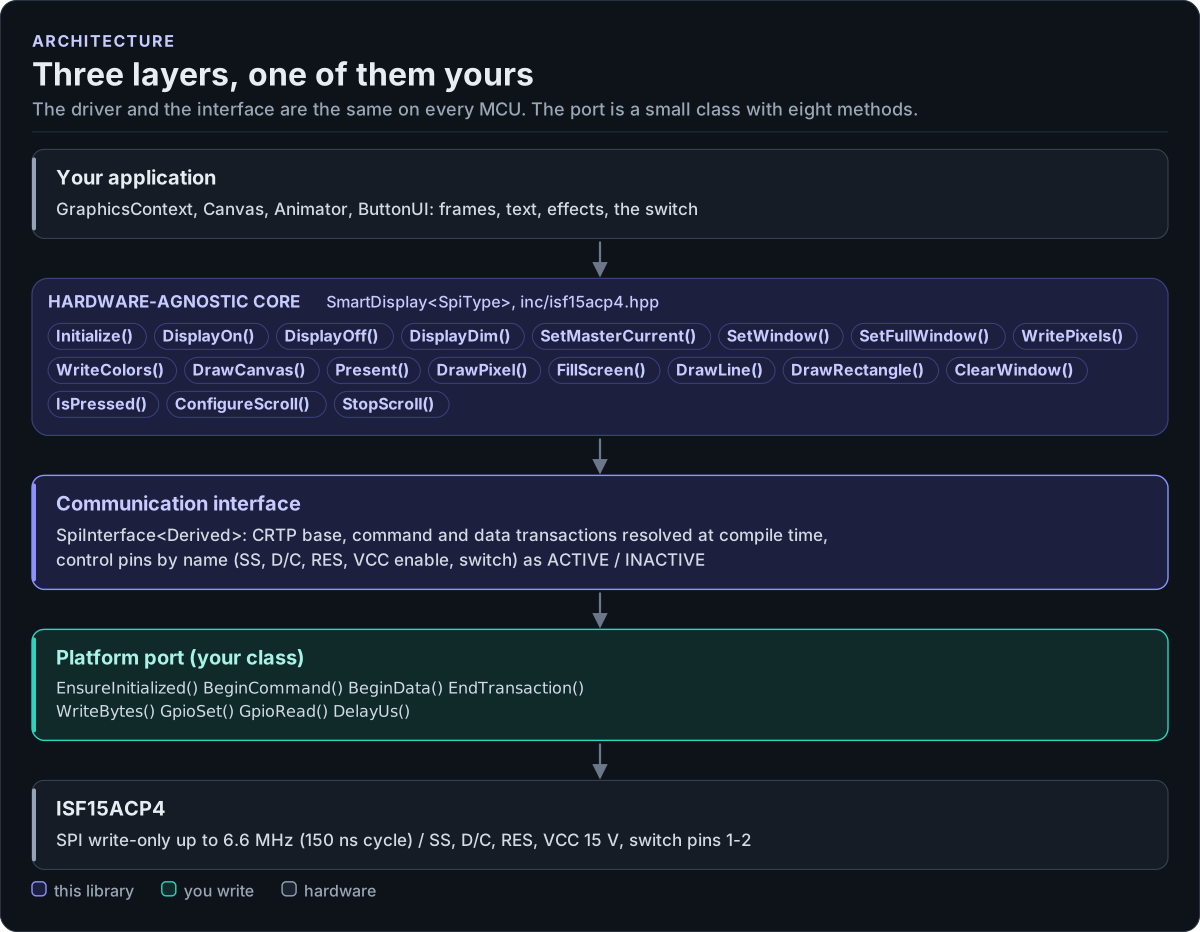
Three layers, one of them yours
Figure description and sources

From top to bottom. Your application draws into a GraphicsContext and calls one SmartDisplay object, whose public calls (listed from inc/isf15acp4.hpp) initialise the SSD1331 controller, upload frames, run its hardware drawing commands and read the switch. Each call becomes command and data transactions. The communication interface (SpiInterface in inc/isf15acp4_spi_interface.hpp) is a CRTP base that forwards them to your class. The platform port is the only code you write: a class that writes SPI bytes with D/C and SS, sets the control pins, reads the switch and waits. Below it is the hardware.

Drawn from: inc/isf15acp4.hpp SmartDisplay public calls; inc/isf15acp4_spi_interface.hpp SpiInterface; figure module docs/diagrams/figures/driver-layers.py.

Figure module: docs/diagrams/figures/driver-layers.py

Drawn from: