Skip to content

Figures

Every figure on this site is drawn by a Python module from facts extracted from the code, so it is rebuilt, not redrawn, when the code changes. CI runs hardfoc-docs figures --check and fails when a committed figure no longer matches the code. Each figure below lists the files it is drawn from.

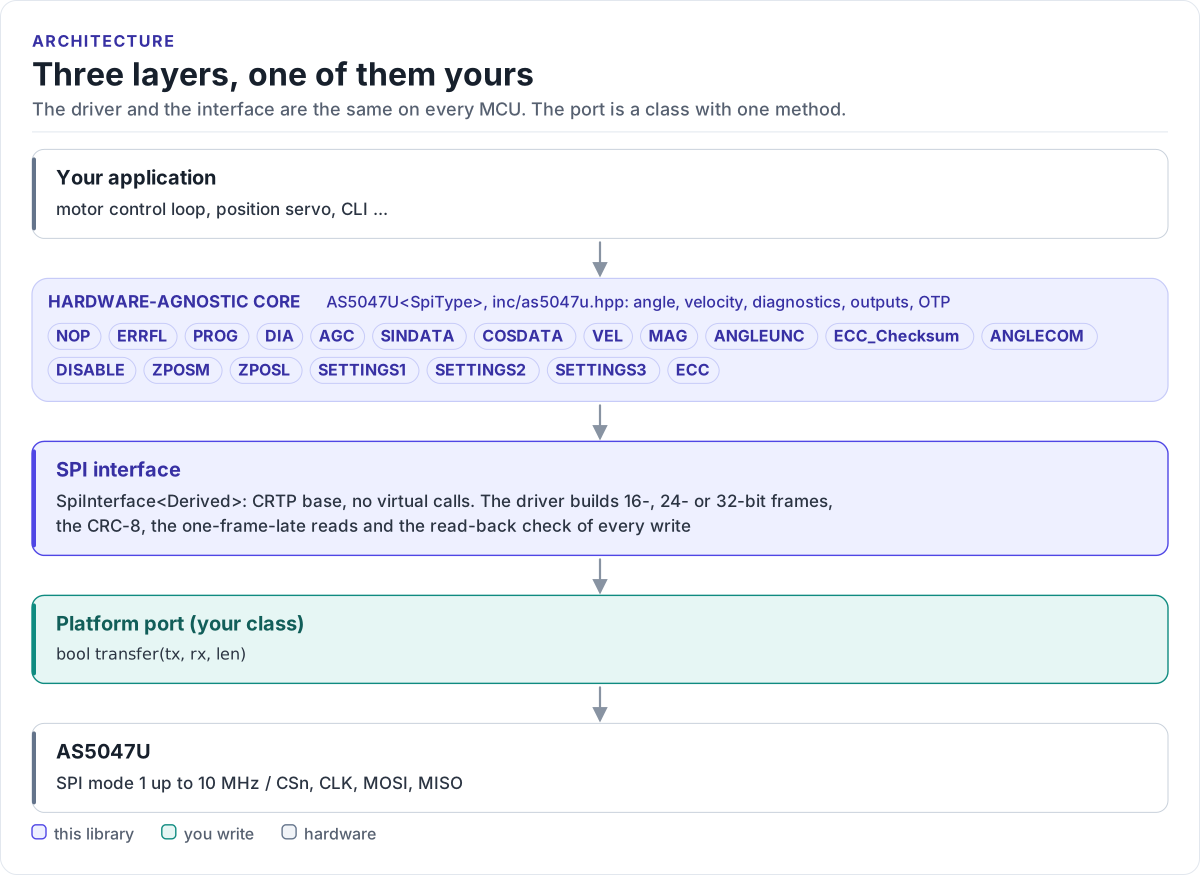
Three layers, one of them yours

Layer diagram: the application calls the hardware-agnostic AS5047U driver, which reads and writes the chip's typed registers in CRC-protected SPI frames through the SpiInterface base class, which calls the transfer() method of the platform port you write, which drives the SPI bus of the AS5047U.Layer diagram: the application calls the hardware-agnostic AS5047U driver, which reads and writes the chip's typed registers in CRC-protected SPI frames through the SpiInterface base class, which calls the transfer() method of the platform port you write, which drives the SPI bus of the AS5047U.
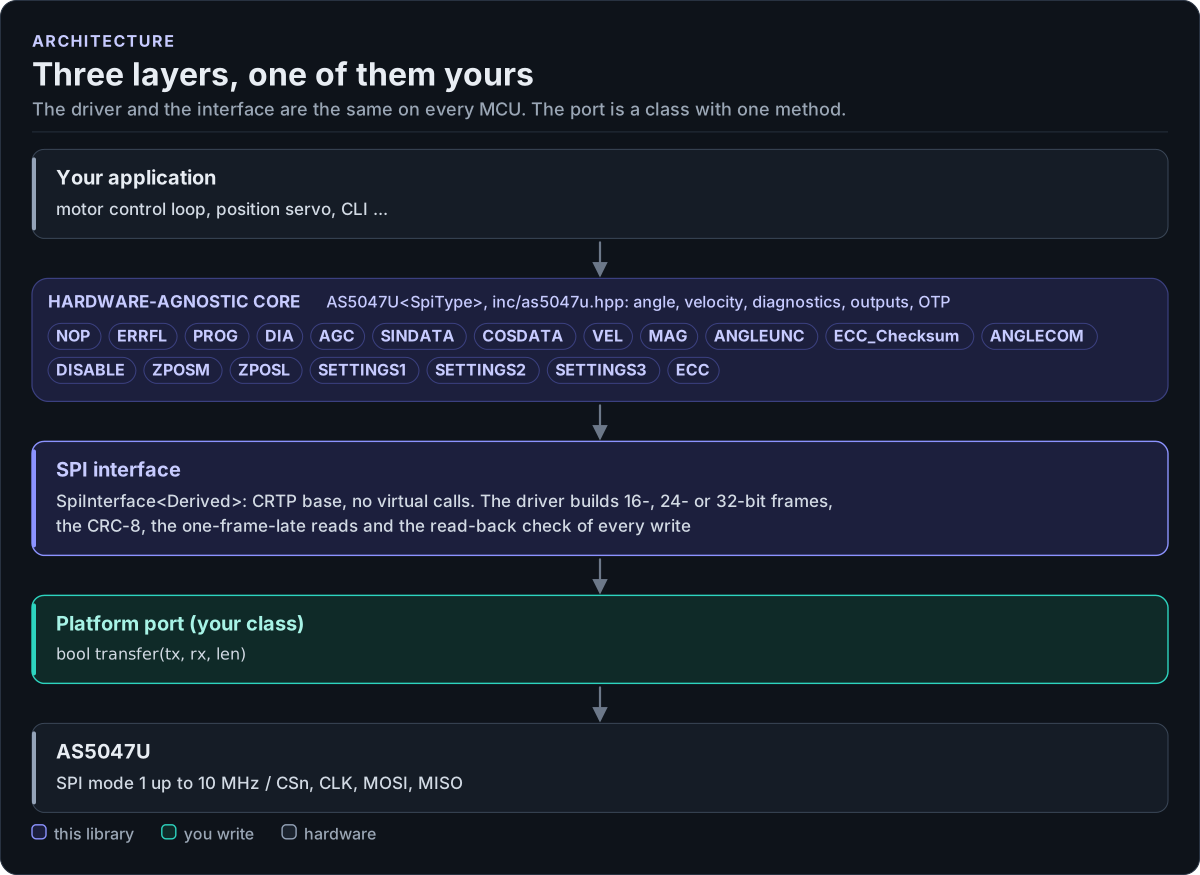
Three layers, one of them yours
Figure description and sources

From top to bottom. Your application talks to one AS5047U object. Its methods read and write the chip's typed registers (listed from inc/as5047u_registers.hpp), build 16-, 24- or 32-bit frames with CRC, check writes by reading them back and collect the ERRFL error flags. The SPI interface (SpiInterface in inc/as5047u_spi_interface.hpp) is a CRTP base with one method. The platform port is the only code you write: a class whose transfer() moves one frame over SPI with chip select held low and returns false on a bus error. Below it is the hardware.

Drawn from: inc/as5047u_registers.hpp register structs; inc/as5047u_spi_interface.hpp SpiInterface; figure module docs/diagrams/figures/driver-layers.py.

Figure module: docs/diagrams/figures/driver-layers.py

Drawn from: