Skip to content

Figures

Every figure on this site is drawn by a Python module from facts extracted from the code, so it is rebuilt, not redrawn, when the code changes. CI runs hardfoc-docs figures --check and fails when a committed figure no longer matches the code. Each figure below lists the files it is drawn from.

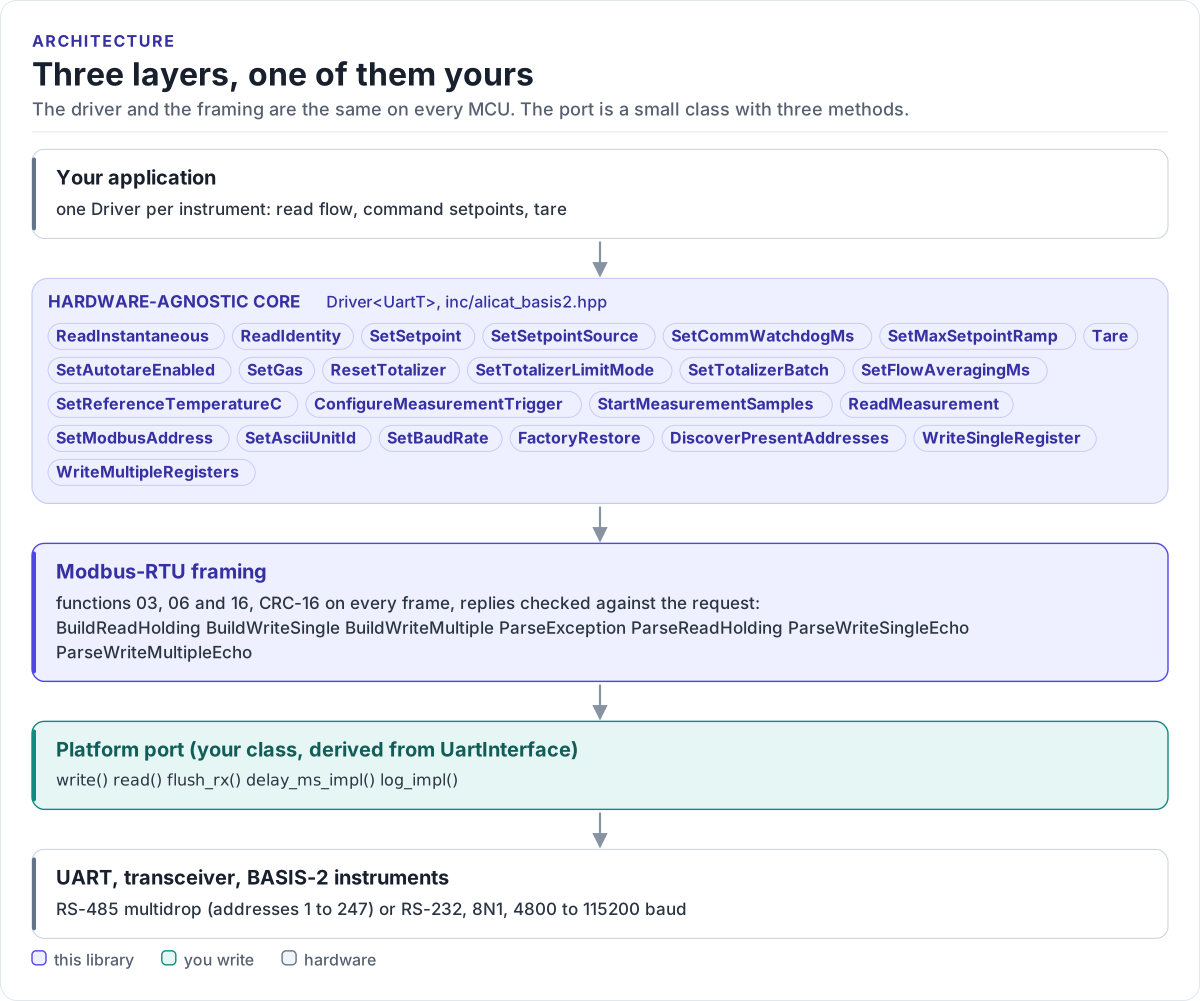
Three layers, one of them yours

Layer diagram: the application calls the hardware-agnostic BASIS-2 driver, which builds Modbus-RTU frames with a CRC-16, which go through the serial interface your platform port implements, which drives the UART, the RS-485 or RS-232 transceiver and the BASIS-2 instruments on the bus.Layer diagram: the application calls the hardware-agnostic BASIS-2 driver, which builds Modbus-RTU frames with a CRC-16, which go through the serial interface your platform port implements, which drives the UART, the RS-485 or RS-232 transceiver and the BASIS-2 instruments on the bus.
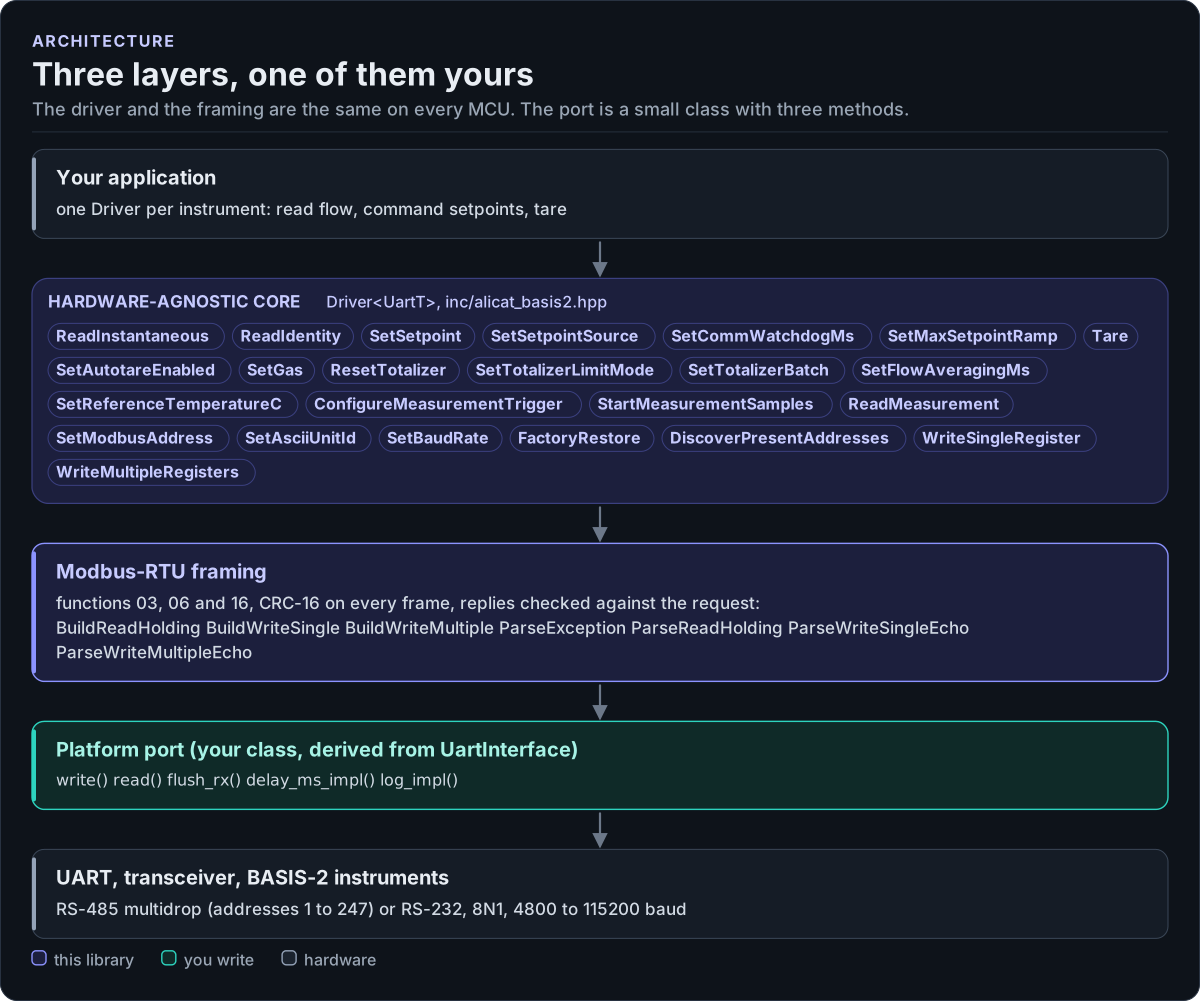
Three layers, one of them yours
Figure description and sources

From top to bottom. Your application holds one Driver object per instrument on the bus; its public calls (listed from inc/alicat_basis2.hpp) turn into holding-register reads and writes. The Modbus-RTU layer (inc/alicat_basis2_modbus.hpp) builds function 03, 06 and 16 frames and checks the CRC-16 of every reply. The platform port is the only code you write: a class derived from UartInterface (inc/alicat_basis2_uart_interface.hpp) that writes bytes, reads bytes with a timeout and flushes the receive buffer. Below it are the UART, the RS-485 or RS-232 transceiver and the instruments.

Drawn from: inc/alicat_basis2.hpp Driver members; inc/alicat_basis2_modbus.hpp frame builders; inc/alicat_basis2_uart_interface.hpp UartInterface; figure module docs/diagrams/figures/driver-layers.py.

Figure module: docs/diagrams/figures/driver-layers.py

Drawn from: