Skip to content

Figures

Every figure on this site is drawn by a Python module from facts extracted from the code, so it is rebuilt, not redrawn, when the code changes. CI runs hardfoc-docs figures --check and fails when a committed figure no longer matches the code. Each figure below lists the files it is drawn from.

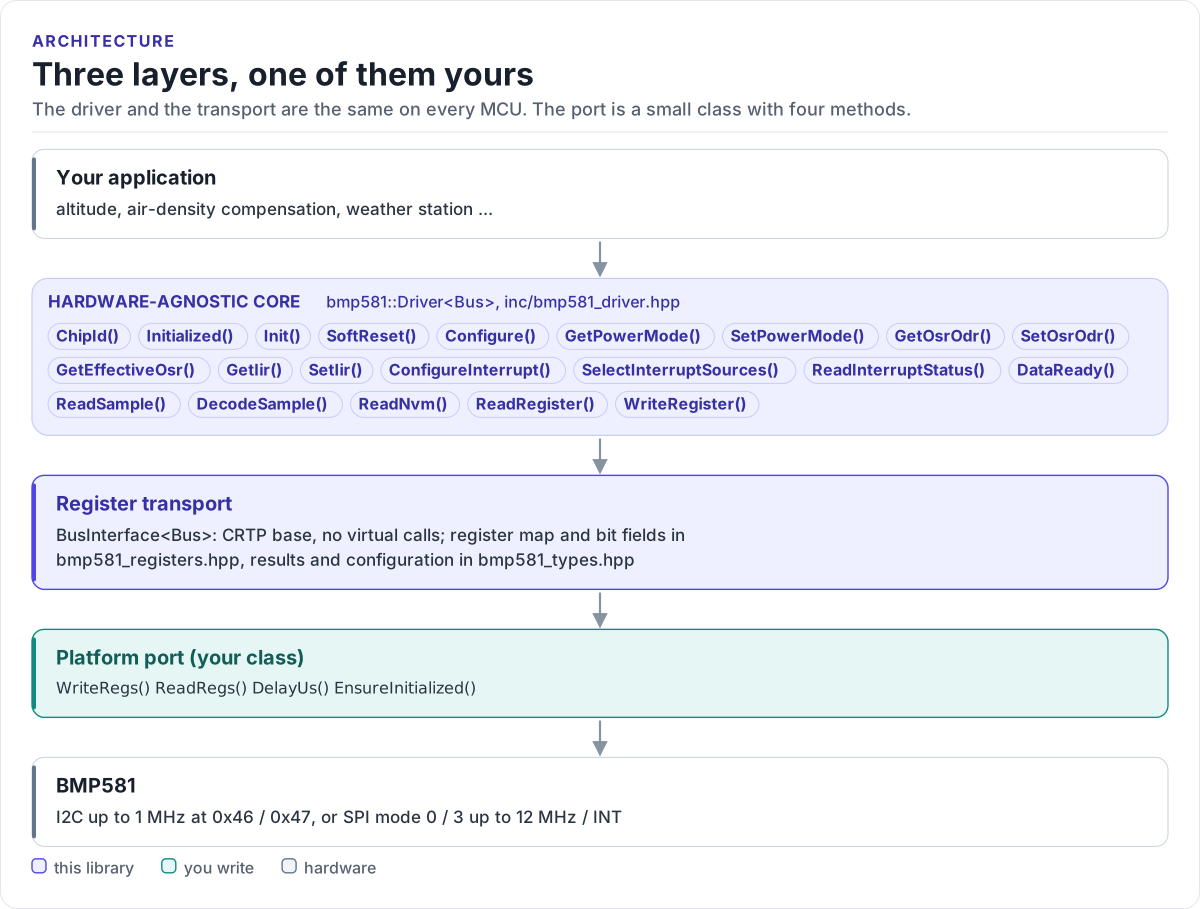
Three layers, one of them yours

Layer diagram: the application calls the hardware-agnostic BMP581 driver, which reads and writes registers through the CRTP register transport, which calls the platform port you write, which drives the I2C or SPI bus of the BMP581.Layer diagram: the application calls the hardware-agnostic BMP581 driver, which reads and writes registers through the CRTP register transport, which calls the platform port you write, which drives the I2C or SPI bus of the BMP581.
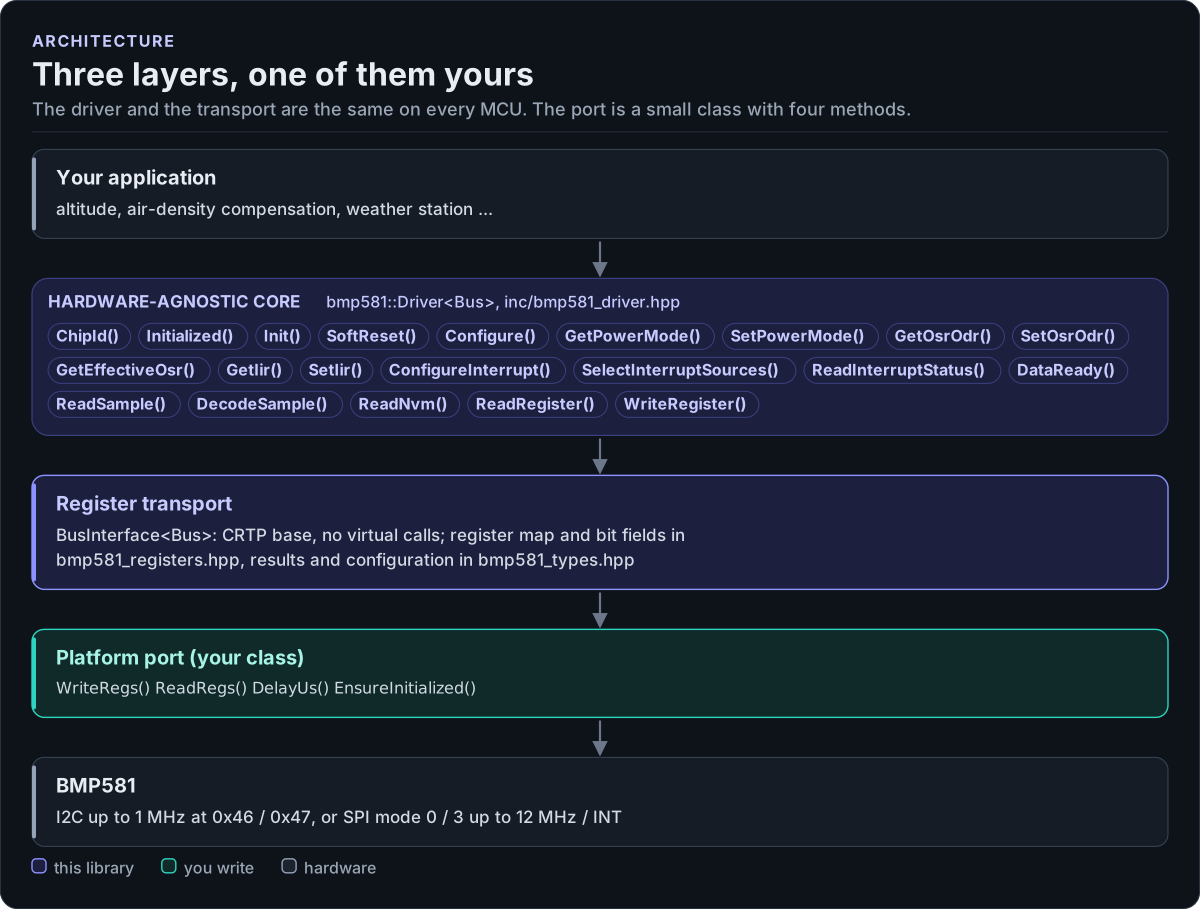
Three layers, one of them yours
Figure description and sources

From top to bottom. Your application talks to one bmp581::Driver object, whose public calls are listed from inc/bmp581_driver.hpp. Each call becomes register reads and writes in the order the datasheet requires (the standby hop, IIR writes in standby, POR and NVM checks). The register transport (BusInterface in inc/bmp581_bus_interface.hpp) is a CRTP base with four methods. The platform port is the only code you write: a class that implements them over I2C or SPI. Below it is the sensor.

Drawn from: inc/bmp581_driver.hpp Driver public members; inc/bmp581_bus_interface.hpp BusInterface; figure module docs/diagrams/figures/driver-layers.py.

Figure module: docs/diagrams/figures/driver-layers.py

Drawn from: